Human-in-the-Loop
Decisions routed to the right person. In the tool they already use.
When an AI step hits a decision boundary, Blocks delivers the approval task to the right human via Slack, Teams, or email — with full workflow context. One click to approve or reject. No app-switching.
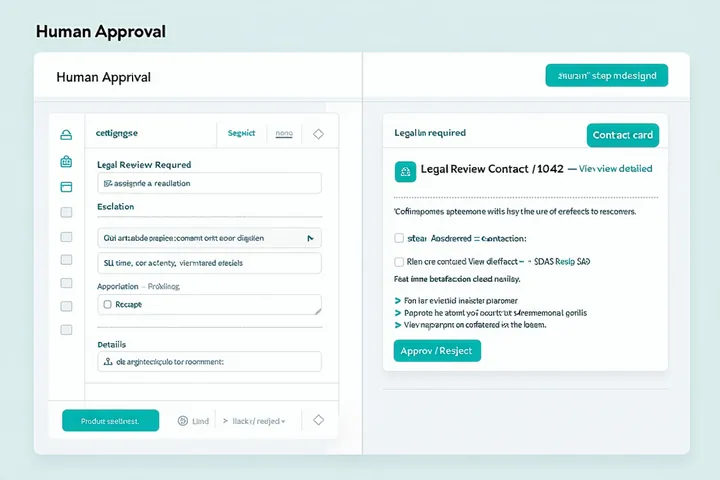
How human approval routing works
From AI analysis to human decision to workflow continuation — all in one traceable chain.
Set thresholds
Define confidence thresholds for each LLM step. When an AI output falls below your threshold, the workflow automatically routes to a human approver.
Deliver via messaging
The approver receives a task card in Slack or Teams containing the workflow context, the AI's output, and two buttons: Approve and Reject. No login required.
Workflow continues
The human's decision is logged with timestamp and forwarded downstream. The workflow resumes the correct branch — approved path or rejected path.
SLA escalation that actually works
Configurable SLA timers
Set a response window (e.g., 4 hours) on any approval step. If no response is received, the workflow escalates automatically.
Escalation routing
Define fallback approvers. If the primary approver doesn't respond, Blocks routes to the next person in the escalation chain.
Decision logged regardless
Whether approved, rejected, or escalated — every decision is captured in the audit trail with timestamp, actor, and decision context.
Bulk approval for high-volume processes
Reviewers can see queued approval tasks in the Blocks dashboard and process them in batches — useful for compliance workflows with regular cadence.
Keep humans in control. Without the overhead.
Build approval workflows in minutes, not days. No custom integrations required.