What Makes a Workflow "Agentic"?
Most people encounter the word "agentic" for the first time in a context that sounds exciting but doesn't explain very much. An agentic workflow, the marketing copy tends to say, "uses AI to automate your business." That description is accurate in the same way that "uses electricity" accurately describes a Tesla.
The operationally meaningful definition is this: an agentic workflow is a process that can route tasks to AI agents as first-class participants — not as post-processing sidecars, not as external API calls bolted onto the end of a Zapier chain, but as structured actors with defined roles, inputs, outputs, and accountability in the same process model that governs human approvers and automated integrations.
That distinction matters because it determines how you architect things. Bolting an LLM call onto a conventional automation script is not an agentic workflow. A workflow that treats an AI reasoning step with the same state management, retry logic, and audit coverage as a human approval step — that is.
The Architecture: State Machines as the Foundation
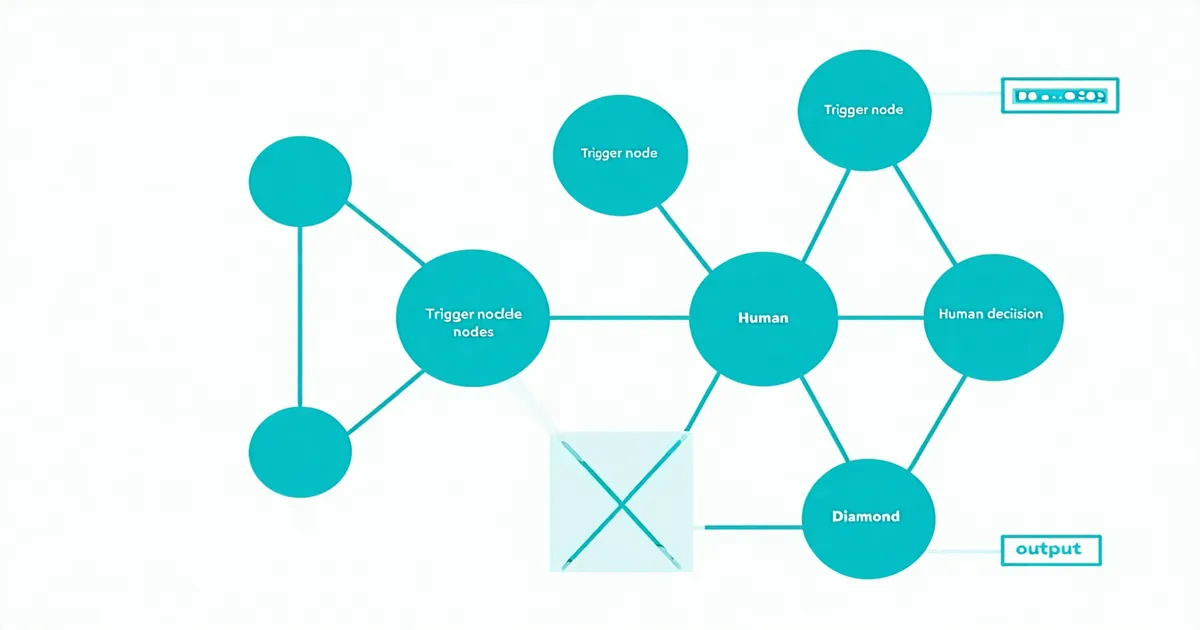
The cleanest mental model for agentic workflows is a persistent state machine. Each workflow instance is an object that exists in one state at a time: waiting for a trigger, executing a step, paused for human input, processing an AI response, or completed. Transitions between states are deterministic — they happen because a defined condition was met, not because a script happened to run in sequence.
This matters for two reasons. First, persistence: unlike a serverless function that runs and disappears, a state machine instance can sit idle for three days while a contract reviewer is on leave, then resume exactly where it left off when the review is submitted. Second, auditability: every state transition is a recorded event. Who moved the workflow from "awaiting approval" to "approved"? When? What was the input context?
In practice, most organizations start without a state machine model and pay for it later. A growing operations team at a B2B software company might run a deal review workflow entirely through email threads. When a deal closes, someone copies the contract text into a Notion doc, another person runs it through a manual checklist, a third person approves via a Slack message, and the rep updates Salesforce manually. When the revenue audit comes, reconstructing who approved what — and in what order — requires three hours of inbox archaeology. That's not a process problem; it's an architecture problem. The workflow never had a state machine. It had a series of independent human memories.
Human Steps vs. AI Steps: Designing the Right Mix
One of the most common mistakes when designing agentic workflows is treating "automate as much as possible" as the goal. It isn't. The goal is to route each task to the actor best positioned to handle it — which is sometimes an AI agent, sometimes a human, and often a structured hand-off between the two.
A practical heuristic: AI agent nodes are appropriate for tasks with high volume, low variability, and a well-defined output format. Classifying inbound support tickets by priority. Extracting structured fields from a contract PDF. Generating a first-pass summary of a due diligence document. These are tasks where the LLM's ability to process text rapidly and consistently outperforms the time cost of human review for each individual instance.
Human steps are appropriate when the output of a decision has significant business consequences, when the context is ambiguous in ways an LLM may not flag reliably, or when accountability needs to be traceable to a specific person. A legal team member approving a contract amendment. An operations manager signing off on an exception to a standard discount policy. An engineer reviewing an AI-generated incident summary before a customer-facing post goes out.
The architecture that works is not AI-only or human-only — it's a structured alternation, with each actor type handling the steps where it has the clearest advantage. We're not saying human review is a bottleneck to be minimized. We're saying the design question is which human reviews are genuinely necessary versus which ones exist only because the workflow had no better option before AI steps existed.
Conditional Branching and How Agentic Workflows Differ From Automation Scripts
Conventional automation tools — RPA scripts, Zapier chains, webhook-to-webhook integrations — are good at linear sequences. If event X happens, do Y, then Z. The moment a process has meaningful branching logic ("if the deal value exceeds $100K, route to VP approval; otherwise proceed directly to contract generation"), conventional automation becomes brittle. The branching logic lives in code that someone has to maintain, and every process change requires a developer to edit a script.
Agentic workflows handle branching as a first-class concept at the workflow layer, not in code. An AI agent node can classify an inbound request and produce a structured output — { "risk_level": "high", "reason": "PII in scope" } — that the workflow engine uses as a routing condition. The same applies to human decisions: a reviewer who selects "escalate" rather than "approve" triggers a different branch without any developer involvement.
This is the core architectural unlock. When branching logic can be expressed visually by the people who understand the business process — not coded by engineers who are one step removed from it — workflows become maintainable by the operations teams that own them. Process changes no longer require a sprint ticket.
The Integration Layer: Connecting Without Custom Code
A workflow that lives inside a single tool isn't a workflow — it's a feature. The operational reality of most growing SaaS teams is that a meaningful business process touches five to eight systems: a CRM, a ticketing tool, a data warehouse, a communication platform, an LLM provider, and a handful of internal services. Connecting them used to mean writing and maintaining API integration code for each pair of systems.
Native connectors solve part of this. A connector that knows Salesforce's authentication model, API structure, and common action types (create opportunity, update stage, query contact) removes the per-integration development cost. The workflow author selects an action from a menu, maps fields, and the connector handles the API complexity underneath.
Where this breaks down: long-tail integrations. Not every internal tool has a native connector, and not every team wants to write connector SDK code. The practical answer is a well-documented HTTP action node — an escape hatch that lets workflow authors make authenticated REST calls to any endpoint, map JSON response fields to workflow variables, and continue. It's not as polished as a native connector, but it covers the 20% of integrations that the native library never will.
What "Full Audit Trail" Actually Means in Practice
Audit trail is one of the most overloaded phrases in workflow tooling. In practice, it means different things to different teams. For a compliance function, audit trail means: for every workflow instance, I can produce a timestamped record of every actor (human or AI), every decision, and every state transition. For an operations manager, it means: I can identify which step is the bottleneck in a slow process by looking at time-in-step data. For an engineering team running a post-incident review, it means: I can replay the sequence of events that led to an outcome without relying on human memory.
An agentic workflow platform that only logs human steps but doesn't log AI agent inputs and outputs gives you a partial picture. When an AI classification step routes a ticket to the wrong team, and that routing triggered a downstream action that caused a problem, you need the AI node's input prompt, model configuration, and output structured data to reconstruct what happened. That's a different engineering requirement than a standard approval log, and it's one that most legacy BPM tools weren't designed to meet because they predate LLM-based workflow actors by a decade.
The operations teams that get the most value from agentic workflows — the ones who move from "experimenting with AI in business processes" to "running AI as a core workflow actor" — are the ones who treat audit trail as a design requirement from day one, not a nice-to-have they'll add later. Later almost never comes.
Getting Started: The Right First Workflow
The most productive way to introduce agentic workflows is not to automate your most complex process first. It's to find a process that is high-frequency, currently involves at least one clearly manual step, and has a well-defined output at each step — then run that process through a structured workflow with at least one AI agent node and at least one human approval step.
Common good candidates: inbound request triage (classify and route before a human reviews), contract data extraction (AI pulls structured fields, human reviews before storing), and new customer onboarding sequences (AI drafts context, human reviews and sends). These are processes where the value of AI participation is immediately legible, the risk of an AI error is bounded, and the audit trail requirement is real but not overwhelming.
After the first workflow runs in production for a few weeks, the next design decisions become clearer: which AI steps need human review every time, which can proceed autonomously above a confidence threshold, and where the process actually breaks down. That feedback loop — running, auditing, and adjusting — is what separates teams that get durable value from agentic automation from teams that run one promising demo and never fully deploy.
The architecture is not magic. A persistent state machine, a consistent approach to human and AI actor roles, structured branching, and a real audit trail are the components. Getting them all working together is the work. But it's the kind of work that compounds: once the framework is in place, the second and third workflows deploy in a fraction of the time of the first.